
In today’s fast-paced digital world, video content is king. But what if you don’t have a professional videographer or a hefty budget? Enter the revolutionary world of AI video creation! Artificial intelligence is democratizing video production, allowing anyone to generate stunning, engaging videos in minutes, often for free.
Whether you’re a small business owner, a content creator, a marketer, or simply curious, best free AI video creation tools can transform your ideas into compelling visual stories without breaking the bank. These platforms leverage AI to handle everything from scriptwriting and voiceovers to animation and editing, turning even the simplest text into a dynamic video.
Why AI Video Creation is a Game Changer
- Cost-Effective: Say goodbye to expensive software and production teams.
- Time-Saving: Generate videos in minutes, not hours or days.
- Accessibility: No prior video editing skills required.
- Scalability: Produce a high volume of content quickly.
- Innovation: Explore new creative possibilities with AI-powered features.
Ready to dive in? Let’s explore the top 10 best free AI video creation sites that will empower you to craft professional-looking videos with ease.
Here’s a featured image for your blog post:
The Top 10 Free AI Video Creation Sites:
- InVideo:
- What it is: A versatile online video editor with AI-powered features for quick video generation from text, articles, or media. It offers a vast library of templates, stock footage, and music.
- Free Tier Highlights: Access to a decent selection of templates, stock media, and basic editing features. Watermark on exports.
- Ideal for: Marketers, content creators, and small businesses looking for quick, template-based video creation.
- Pictory AI:
- What it is: Specializes in turning long-form content (like blog posts or scripts) into short, shareable videos. It intelligently extracts key sentences and matches them with relevant visuals and voiceovers.
- Free Tier Highlights: Allows you to create a few short videos to test its capabilities, typically with a watermark.
- Ideal for: Bloggers, podcasters, and educators wanting to repurpose their existing content into video format.
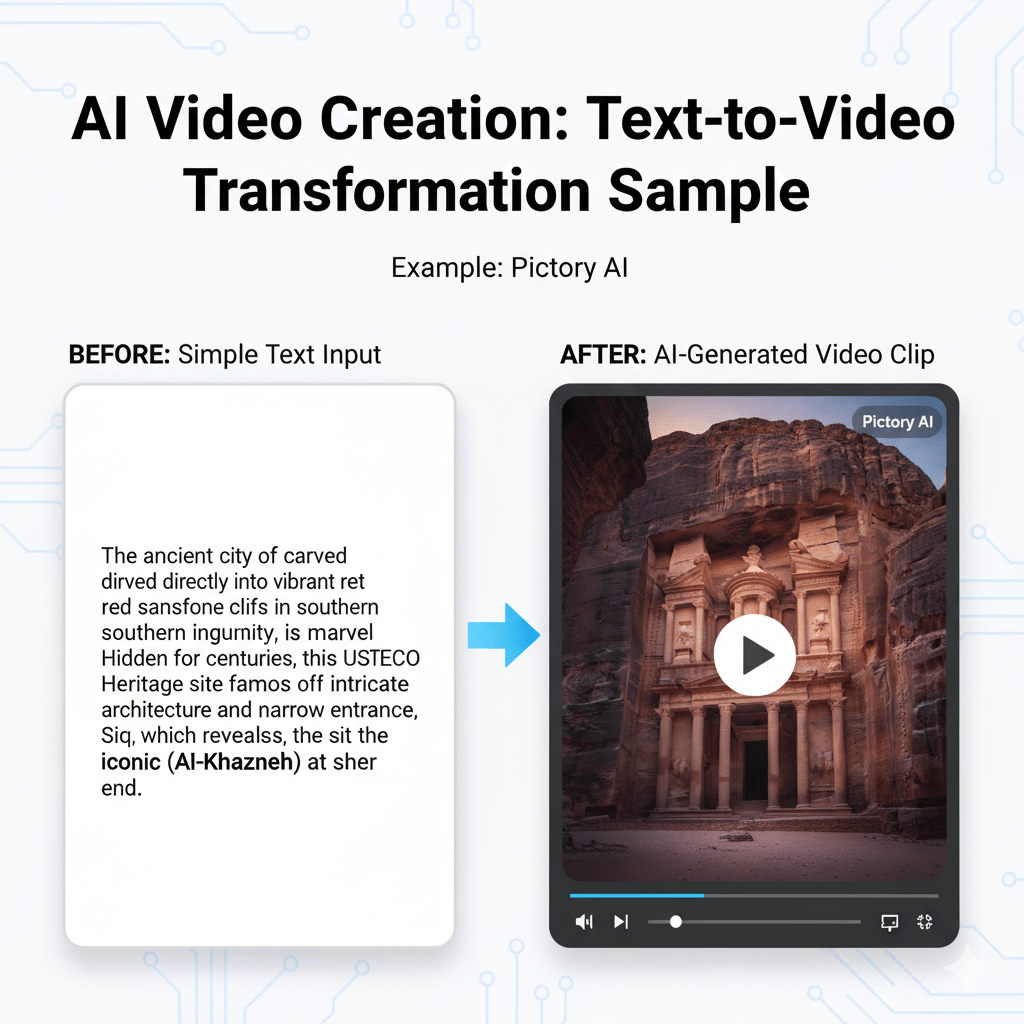
Here’s a sample of how Pictory AI can transform text into a visual story:
- Synthesys Studio:
- What it is: Known for its realistic AI human presenters (Synthesys Humans) and AI voiceovers. You can type in your script, choose an avatar, and Synthesys will generate a video with a talking head.
- Free Tier Highlights: Offers limited free credits or a trial period to experience its advanced features, often with watermarked output.
- Ideal for: Businesses, educators, and trainers who need professional-looking explainer videos or presentations with a human touch.
- FlexClip:
- What it is: A user-friendly online video editor with a strong emphasis on ease of use and a wide array of templates for various purposes, including marketing, social media, and personal use.
- Free Tier Highlights: Provides access to many templates, stock footage, and music, though exports typically include a watermark and have resolution limitations.
- Ideal for: Beginners and small businesses needing quick, polished videos for social media or promotional content.
- Simplified:
- What it is: An all-in-one marketing platform that includes an AI video generator alongside its design, writing, and social media tools. It can convert text into video with stock media and voiceovers.
- Free Tier Highlights: Allows for a certain number of video creations and access to basic features within its broader suite of tools.
- Ideal for: Marketers and content creators looking for an integrated solution for their various content needs.
- Descript (Limited Free Use):
- What it is: While primarily a powerful audio and video editor (with features like “Overdub” for AI voice cloning and text-based editing), Descript also offers tools that can be leveraged for AI video creation.
- Free Tier Highlights: Offers a limited number of transcription hours and projects, allowing you to experiment with its AI voice and editing capabilities.
- Ideal for: Podcasters, video editors, and content creators who want advanced AI-powered editing and voice generation features.
- DeepMotion (Character Animation):
- What it is: Focuses on AI-powered 3D character animation. You can upload 2D video footage of yourself, and AI will automatically animate a 3D character to mimic your movements.
- Free Tier Highlights: Provides free credits or limited processing time each month, allowing you to animate short clips.
- Ideal for: Game developers, animators, and creators looking to bring 3D characters to life without complex rigging.
- HeyGen (Free Trial):
- What it is: Offers hyper-realistic AI avatars and voice synthesis to create professional explainer videos and presentations. It’s known for its high-quality lip-syncing and diverse avatar options.
- Free Tier Highlights: Typically offers a limited free trial to generate a short video or a few minutes of content.
- Ideal for: Businesses, educators, and anyone needing engaging videos with a professional presenter look.
- Viide.io (Free Options):
- What it is: An AI-powered video generator designed to create short, engaging videos from text. It offers various templates and styles to suit different marketing needs.
- Free Tier Highlights: Usually provides a limited number of free video exports or a trial period to experience its core features.
- Ideal for: Social media marketers and small businesses looking for quick, punchy promotional videos.
- Kapwing (Limited Free Use):
- What it is: A versatile online video editor that incorporates AI tools for tasks like automatic subtitling, background removal, and smart cutting. While not purely a “text-to-video” AI, its smart tools greatly assist in creation.
- Free Tier Highlights: Allows for creating and exporting videos with a watermark and certain limitations on file size and project length.
- Ideal for: Content creators and casual users who need a robust editor with AI-assisted features for quick edits and enhancements.
Before & After: Seeing is Believing!
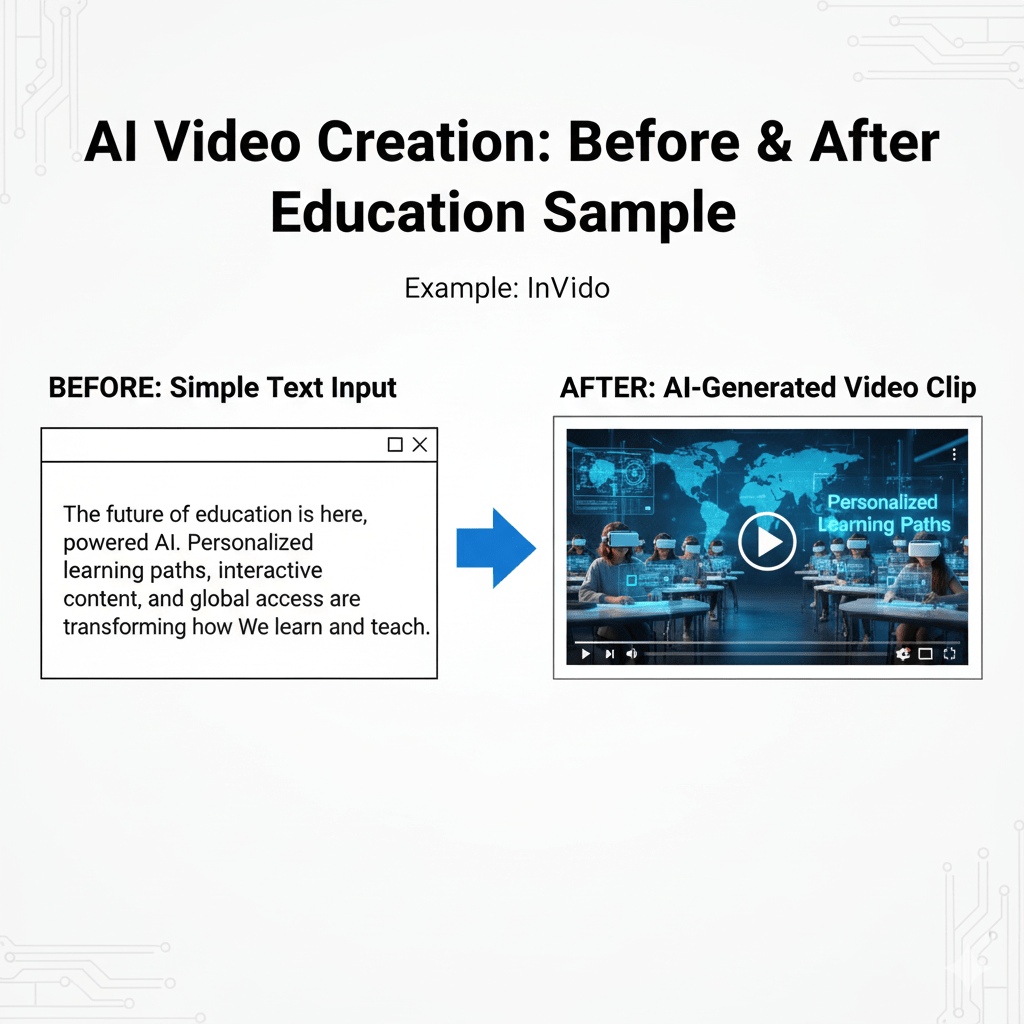
To truly appreciate the power of these tools, let’s look at a “before” (text/simple input) and “after” (AI-generated video output) example.
Before: Simple Text Input
“The future of education is here, powered by AI. Personalized learning paths, interactive content, and global access are transforming how we learn and teach.”
After: AI-Generated Video Clip (Concept) Imagine this text transformed into a dynamic video with:
- Visually appealing stock footage of students learning, futuristic classrooms, and diverse global landscapes.
- A clear, engaging AI voiceover narrating the text.
- Animated text overlays highlighting key phrases like “Personalized Learning Paths.”
- Upbeat, inspiring background music.
Here’s a visual representation of the concept: